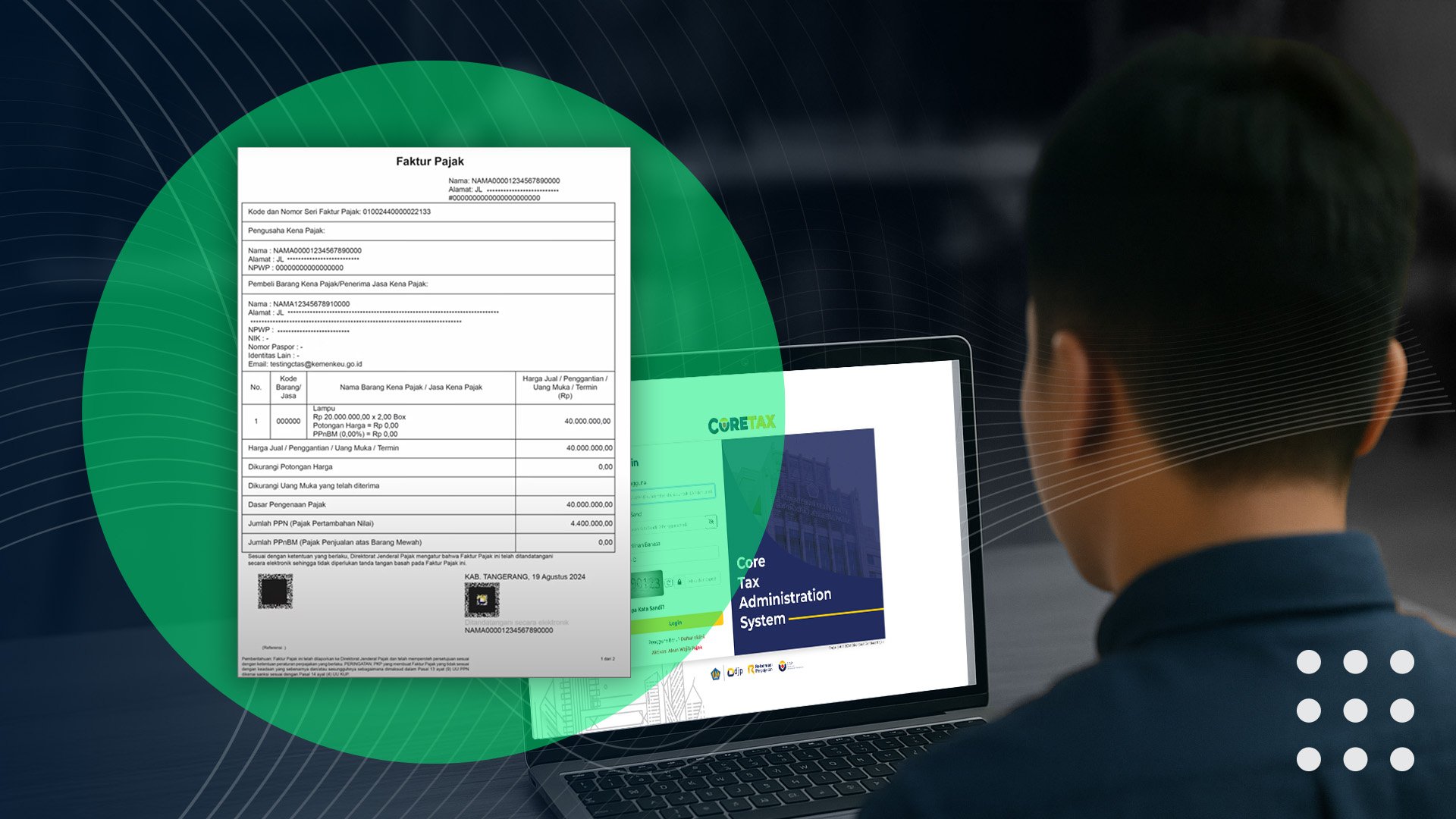
The implementation of the Coretax system by the Directorate General of Taxes (DJP) marks a new era of digital tax administration in Indonesia. One of the most important components of this system is the creation of electronic tax invoices.
To secure and validate every digital tax transaction, Coretax requires the use of electronic signatures and digital certificates.
This article covers everything you need to know about creating Coretax tax invoices, how to apply for a digital certificate, and the types of electronic signatures used in the system.
How to Create a Coretax Tax Invoice
A tax invoice (faktur pajak) is proof of VAT collection by a Taxable Entrepreneur (PKP) for the delivery of taxable goods or services. Through the Coretax system, tax invoices are fully electronic and automatically integrated with the DJP system.
Here’s how to create a tax invoice in Coretax:
-
Log in to your Coretax DJP account via https://coretax.pajak.go.id
-
Select the e-Faktur or Tax Invoice menu
-
Fill in the buyer’s details, NPWP, transaction value, VAT amount, and invoice serial number
-
Add your electronic signature (TTE) if you already have a digital certificate
-
Save and submit the tax invoice to DJP
Coretax invoices are generated in real time, eliminating the need for manual uploads like in the old e-Faktur system.
Electronic Signatures for Coretax Tax Invoices
In the Coretax ecosystem, two types of electronic signatures (TTE) can be used to sign digital tax documents—including tax invoices. Each type differs in issuer, legal strength, and usage scope:
1. Uncertified Electronic Signature
This signature is issued directly by the Directorate General of Taxes (DJP) and authenticated using a DJP authorization code.
To obtain this signature, simply log in to Coretax and request the DJP authorization code.
This type of signature is used to access and sign documents within the Coretax system, such as e-Faktur creation, SPT submissions, and other DJP services.
However:
-
It is only valid within DJP’s environment
-
It cannot be used to sign documents outside Coretax
-
Its legal strength is lower than certified electronic signatures, as it does not involve an independent third party (PSrE)
2. Certified Electronic Signature
This signature is issued by an official Electronic Certification Provider (PSrE) such as VIDA or BSRE. Because it is issued by a third party, users must have a valid digital certificate.
The certificate is tied to the signer's verified legal identity (based on KTP), giving the signature strong legal standing under the ITE Law and PP 71/2019.
A certified signature is ideal for:
-
PKPs (Taxable Entrepreneurs)
-
Corporate taxpayers
-
High-value or high-integrity transactions
-
Any document requiring strong authenticity and data integrity
This signature replaces manual signing and is automatically embedded into Coretax tax invoices.
How to Apply for a Coretax Digital Certificate
There are two ways to obtain a digital certificate for Coretax, depending on whether you already have one.
A. If You Already Have a Certified Digital Certificate from a PSrE
-
Log in to Coretax at https://coretax.pajak.go.id
-
Go to Portal > Authorization Code / Digital Certificate Request
-
Select Certified Electronic Certificate
-
Enter your PSrE signer ID (e.g., VIDA)
-
Complete identity verification
-
Agree to the declaration and submit the request
-
Once approved by DJP, your certificate will be activated for Coretax use
B. If You Do Not Have a Certificate – Apply for a DJP Authorization Code
-
Log in to Coretax using your NIK/NPWP and password
-
Go to Portal > Authorization Code / Digital Certificate Request
-
Select DJP Authorization Code
-
Create a passphrase and complete face verification
-
Agree to the declaration and submit
-
If approved, your authorization code will appear in the notification menu
-
Use this code to sign tax documents inside Coretax
Coretax makes tax invoice creation more secure, efficient, and seamless. The digital certificate is the key element that ensures the validity of every electronic signature within the tax system.
For companies that require certified digital signatures for Coretax tax invoices, VIDA, as an official PSrE, provides legally compliant electronic signature technology fully integrated with the Coretax ecosystem.
.png)